Project Ashes
Project
Ashes
HomeFeaturesRulesWikiEventsNewsShopSupport
Discord
LoginSign Up / Login

Base Building

Blueprint & Build Wheel

Draw a blueprint, use the wheel, and open the Foundations ring.

← Wiki hub

Contents

  • Building Overview
  • Blueprint & Build Wheel
  • Placing & Free Build
  • Foundations: TC, Mixer, Rack
  • Tiers & Pieces
  • Materials & Mixer
  • Upgrade, Repair & Dismantle
  • Ashes Base Limits

Blueprint & Build Wheel

Draw a blueprint

  1. Put paper in your hands.
  2. Hold left mouse (~3 seconds) β€” Draw a building blueprint.
  3. No pen required. Paper becomes the blueprint tool.
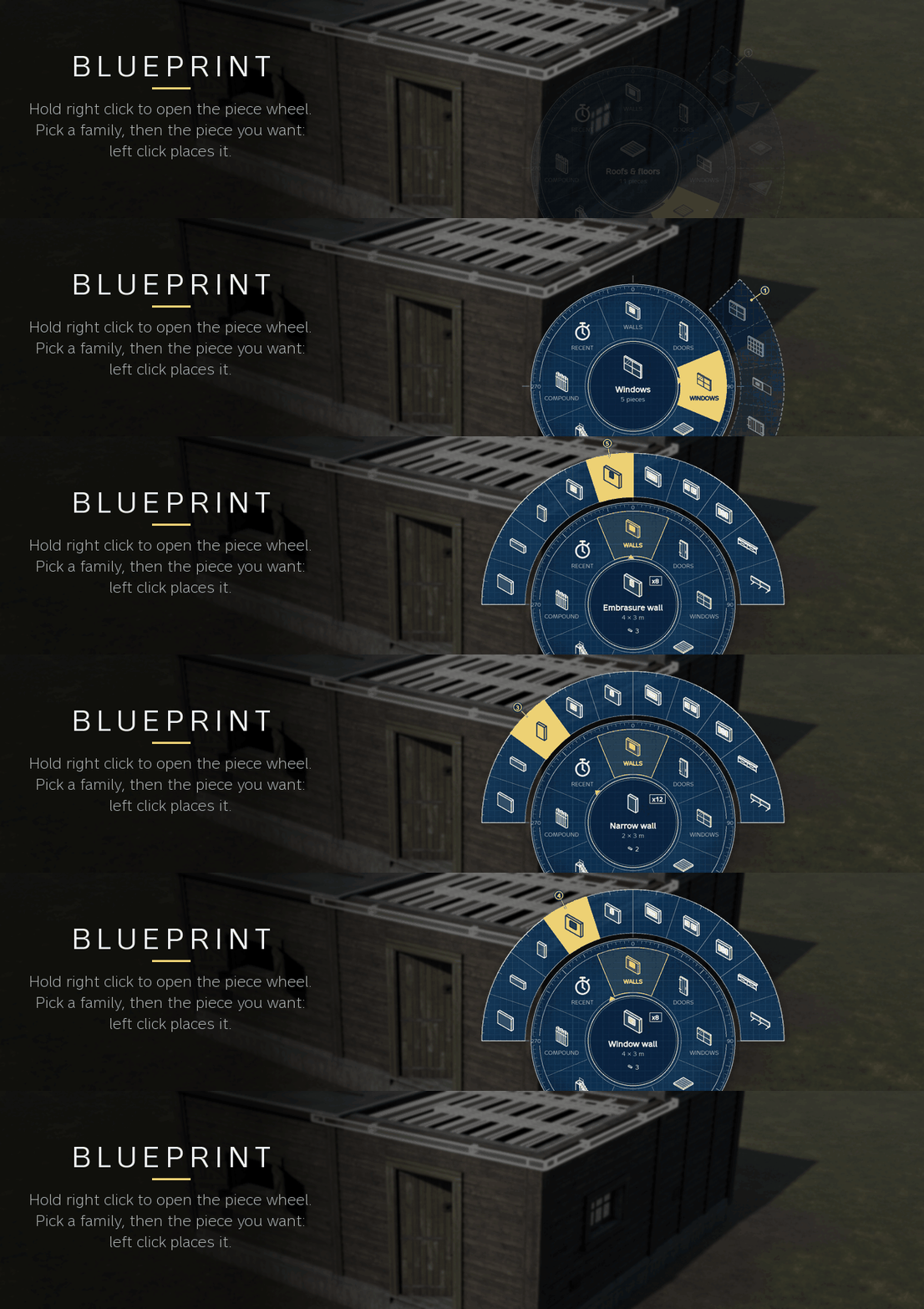
Drawing a Building blueprint

With the blueprint in hands, press Numpad 7 to open the Build view (Plan / Axonometric / Manual / Territory).
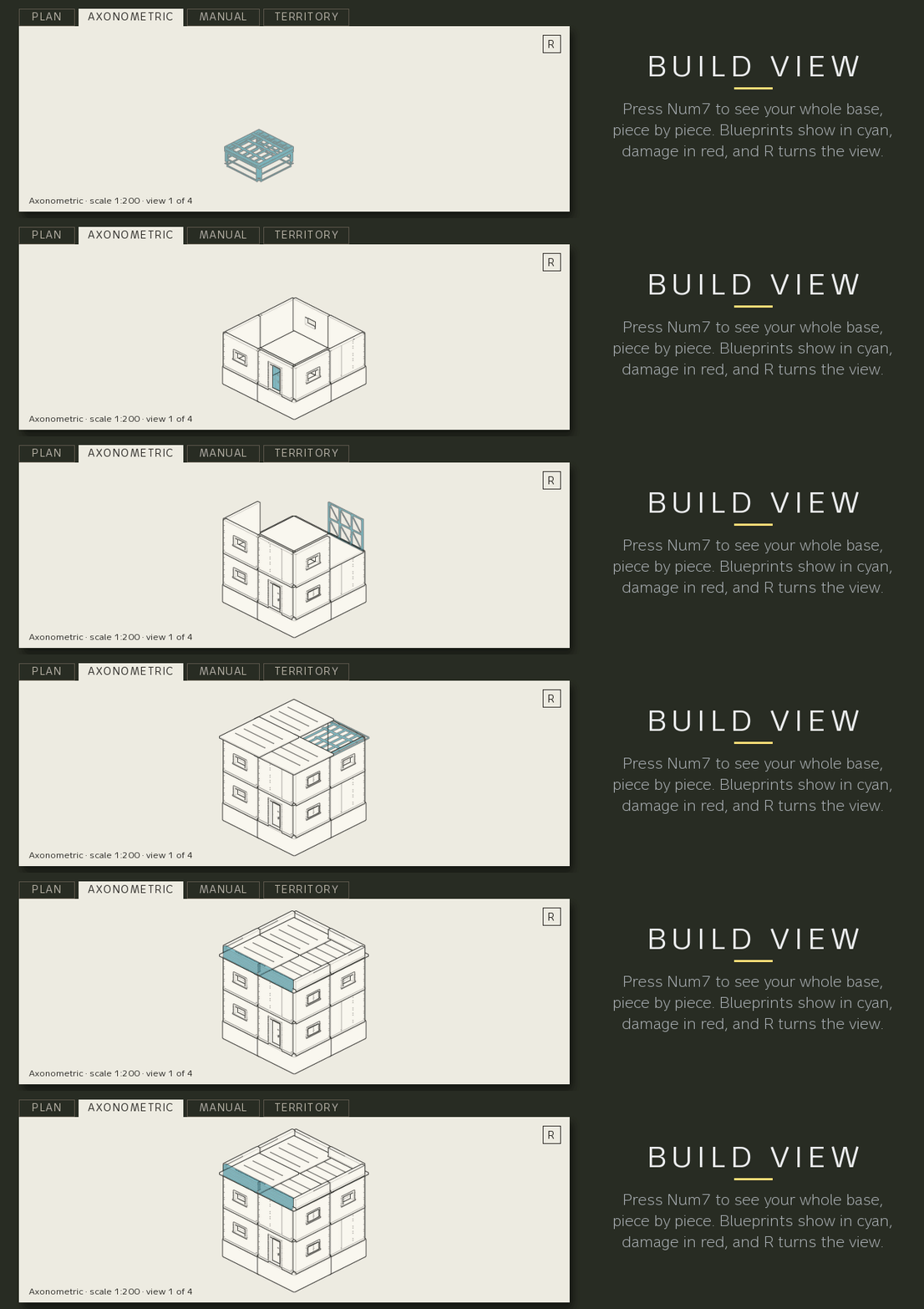
Build view map and shopping list

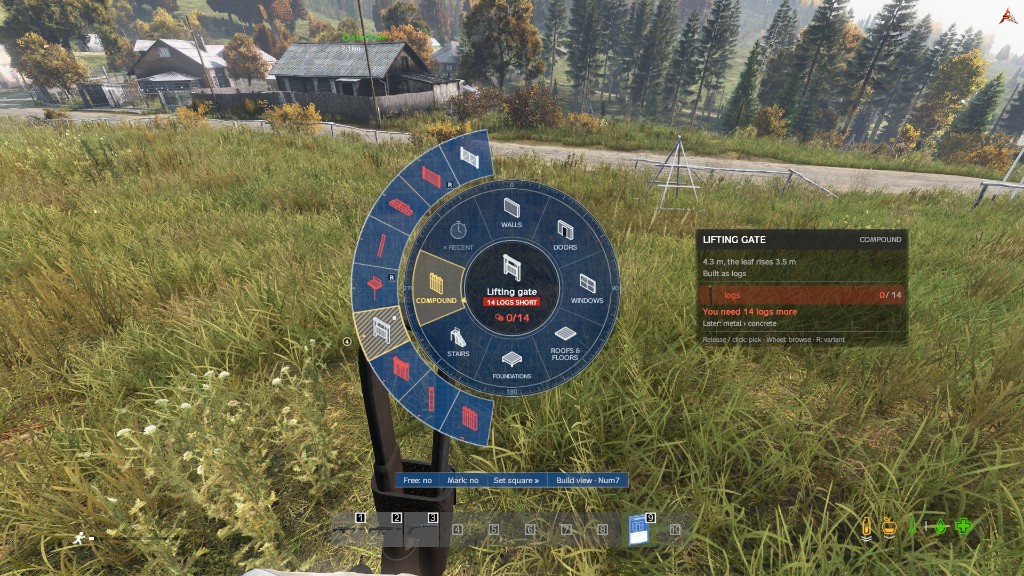
Build wheel

Hold right mouse. Move to a ring, then a piece, release.

RingWhat lives here
FoundationsStilted/triangular foundations, posts, Command cabinet (TC), Materials Rack, Concrete mixer, signs
WallsWalls, doorway walls, window walls, parapets, fake wall
DoorsDoors, gates, hatches, hangar door
WindowsShutters, embrasures, covers
Roofs & floorsFloors, roofs, hatches
StairsSwitchback stairs, hanging ladders
CompoundPalisade, compound gate, wall walk
RecentLast pieces you used

Centre of the wheel shows the piece, cost, and have/need. Missing materials show red.

ButtonEffect
Free: yes / noToggle free placement (also Numpad 8)
Mark: yes / noPlace cyan blueprint marks instead of pieces
Set squareFine placement panel
Build view Β· Num7Map-style Build view

Tip: rebind under . Admins can set the wheel to held LMB ( = 1).

PreviousBuilding OverviewNextPlacing & Free Build
Project Ashes

Project Ashes

Coming soon to Chernarus.

A coming soon PC DayZ survival server focused on custom map work, missions, base life, and community-driven development updates.

Explore

  • Rules
  • Wiki
  • News
  • Events
  • Features

Community

  • projectashes.com/discord
  • Support
  • Staff
  • Sign Up / Login
  • Profile

Legal

  • Terms of Service

Project Ashes is a community server and is not affiliated with Bohemia Interactive.

MADE WITH πŸ’— BY BILLY & ORCS

Options β†’ Controls β†’ BS Base Building
BuildPlan.WheelButton

Foundations ring β€” read this

TC, mixer, and materials rack are not in Walls. Open Foundations on the build wheel:

  • Command cabinet β€” BS territory (TC)
  • Materials Rack β€” material holder that pays for builds
  • Concrete mixer β€” turns cement + stones into concrete blocks

Details: Foundations: TC, Mixer, Rack

Build view (Numpad 7)

TabShows
PlanTop-down base + shopping list + marks
Axonometric3D drawing (arrows move, wheel zooms, R rotates, Page Up/Down floors)
ManualIn-game building manual
TerritoryCommand-cabinet territories only