

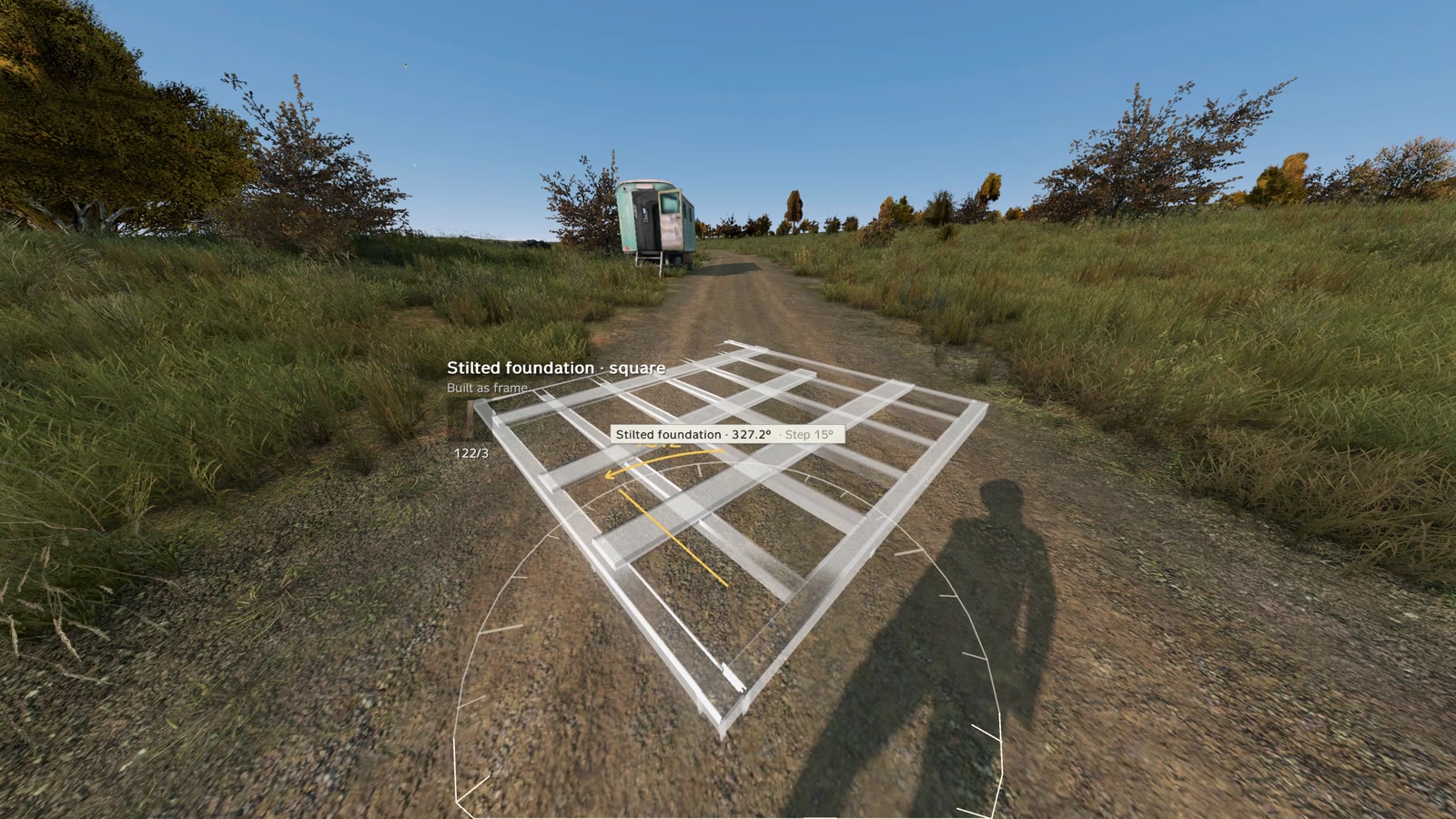
Placing & Free Build
Snapping (default)
Aim where you want the piece. Ghost snaps to the closest valid slot (foundation edge, wall top, opening, etc.).
- White ghost = can place. Red = cannot (Too far, No support, Not your land, Blocked, Too high, On water).
- LMB places a free blueprint hologram.
- Mouse wheel cycles snap slots (card shows e.g. snap 2/5).
- R cycles variants / facing. Chalk arrow marks OUTSIDE (strong side). Inner face is the soft/raid side.
- Wall ends snap straight or at 60° / 90° / 120° / 150°. Finished wall meets spawn corner posts automatically.
- Foundations, posts, compound, fences, watchtower follow terrain. Foundation legs reach down on slopes.
Good to know
- Place palisade from outside. Inner side faces where you look; arrow points OUTSIDE.
- Switchback stairs sit mid foundation/floor and climb one storey.
- Hanging ladders hook free floor edges (3 m or 6 m).
- Floor with hatch takes a folding ladder hatch.
- Upper floors need support — at most 2 cells from a supported floor/wall/post/stairs/tower/foundation.
Free placement
Toggle Numpad 8 (or ↓ / Free on wheel). Piece follows aim; no snap required.
Open free-build defaults:
- No support required; up to ~25 m above ground.
- Map houses / walls / rocks don't block — build inside map buildings.
- Foundations still need ground (or map-building floor) under legs.
| Action | Key |
|---|---|
| Turn | Mouse wheel (15° / Fine 2.5° / Coarse 45°). Tap R for 90°. |
| Turn 1° | Ctrl + ← / → |
| Raise / lower | Page Up / Page Down |
| Small height | Shift+wheel (5 cm), Ctrl+Shift+wheel (1 cm) |
| Slide | ← / → (Shift = 1 cm) |
| Freeze ghost | Numpad 0 |
| Reset | Backspace |
| Hand drag | Hold Left Ctrl + mouse |
| Set square panel |